Guided case study questionnaire
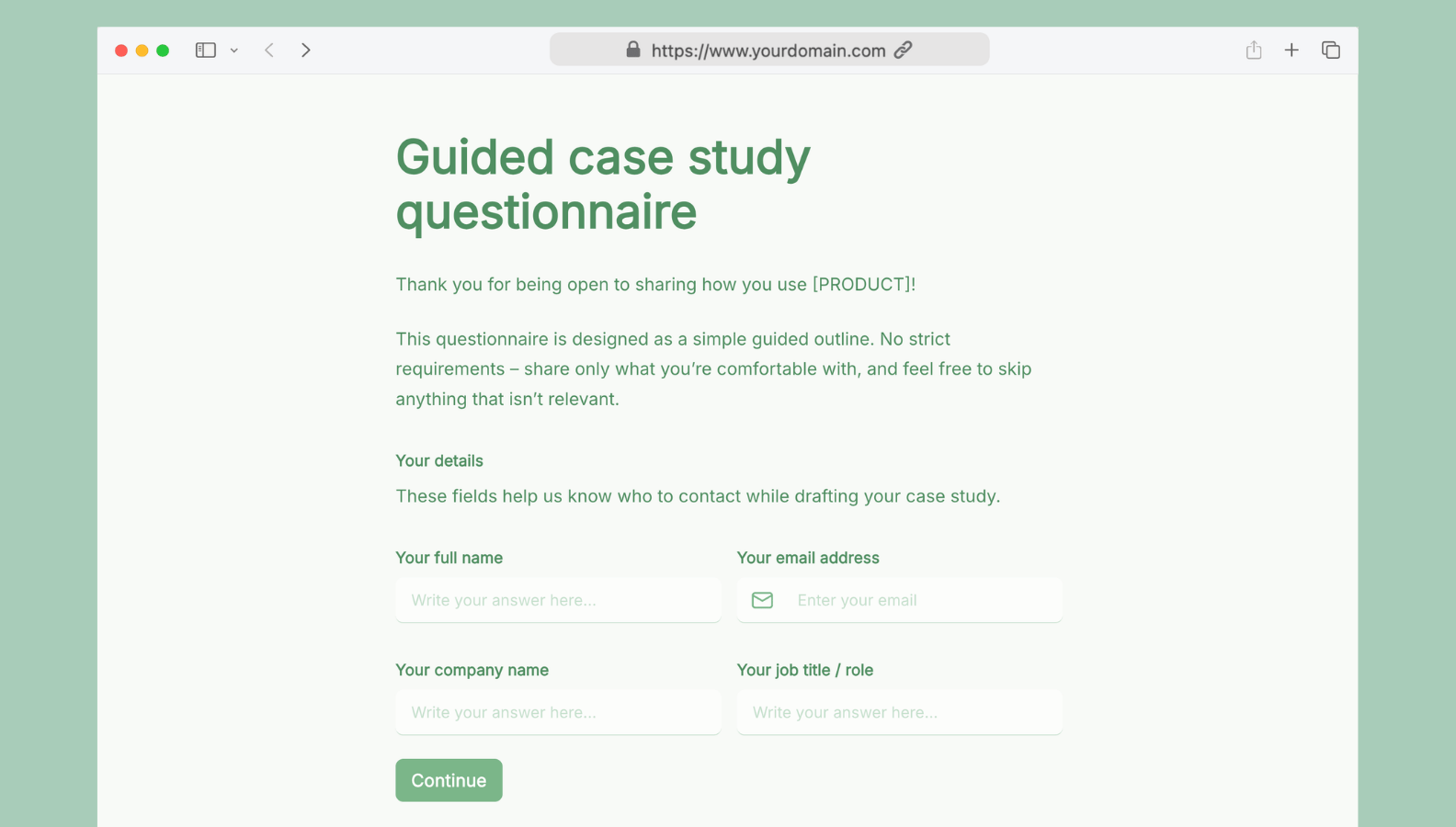
Turn customer wins into compelling case studies — with a guided questionnaire your clients will actually complete
Getting a case study out of a happy customer shouldn't require chasing them down with a blank doc and a list of open questions. The Guided case study questionnaire form gives your customers a structured, low-pressure way to share their story — covering their background, the challenges they faced, how they use your product, and the results they've seen. You get everything you need to write a polished case study in one clean submission.
Who can use this form?
- Marketing and content teams — collect the raw material for case studies without scheduling long interviews or sending back-and-forth emails.
- SaaS and B2B companies — capture detailed product stories from customers across different industries and use cases.
- Agencies and consultants — document client results in a consistent, reusable format that supports proposals and sales conversations.
- Customer success managers — turn QBR insights and renewal conversations into publishable success stories.
What's included?
- Contact details capture — collects the respondent's full name, email, company, and job title so you always know who to reach during the drafting process.
- Guided story outline — six structured sections walk customers through their company background, the challenges they faced before using your product, why they chose it, how they use it today, the results and impact, and the features that made the biggest difference.
- Real-world example section — prompts customers to describe one concrete workflow or setup, including what it looked like before, where your product fits in, and how it works now — with the option to upload screenshots or a short walkthrough video.
- Testimonial and social links — dedicated fields for a quotable testimonial and any social profiles or website links to include in the published piece.
- Admin-only Status field — (New → In review → Draft shared → Draft approved → Published) lets your team track each submission progress.
- Admin-only Draft URL field — lets your team paste the link to the case study draft (e.g. a Google Doc), making it easy to track and manage everything in one place, or share it for client's review.
How to customize it in Formaloo
- Make it fully on-brand — customize your form's design to fully match your brand. For the full white-label experience, set a custom domain so the form lives under your own branded URL.
- Automate submission confirmations — use custom email templates to automatically send respondents a personalized thank-you email along with a summary and next steps.
- Trigger the draft review automatically — once your team adds the draft URL to the submission, use On Update logic to automatically email the customer a link to review the draft.
- Introduce auto-assignment — use Assignee field and On Submit logic to automatically assign new submissions to the right team member based on industry, company size, or any other field.
- Connect Slack — integrate with Slack to get an instant notification in your dedicated channel every time a new submission comes in.
Case studies are some of the highest-converting content you can produce — and the hardest to get out the door. This template helps remove the friction for your customers and for your team. Customize the form to your needs in minutes, and start turning customer stories into content that sells.
Choose how to get started
Self-serve
Build on your own
Free forever. No credit card required.
✓ AI-powered form builder
✓ Automated workflows
✓ E-signatures & Documents
✓ Client & team portals
✓ Dashboards & analytics
✓ Start fast with templates
Concierge service
Get extra support
In a focused discovery session, we’ll map the current process, identify where AI and Formaloo OI can create measurable value, and outline a practical path to production.
✓ Agent-first platform with a forward-deployed team
✓ EU-hosted by default
✓ Data residency, private-cloud, and self-hosted deployment options
✓ Designed to support GDPR, HIPAA, and PCI DSS requirements