NPS Campaign Dashboard
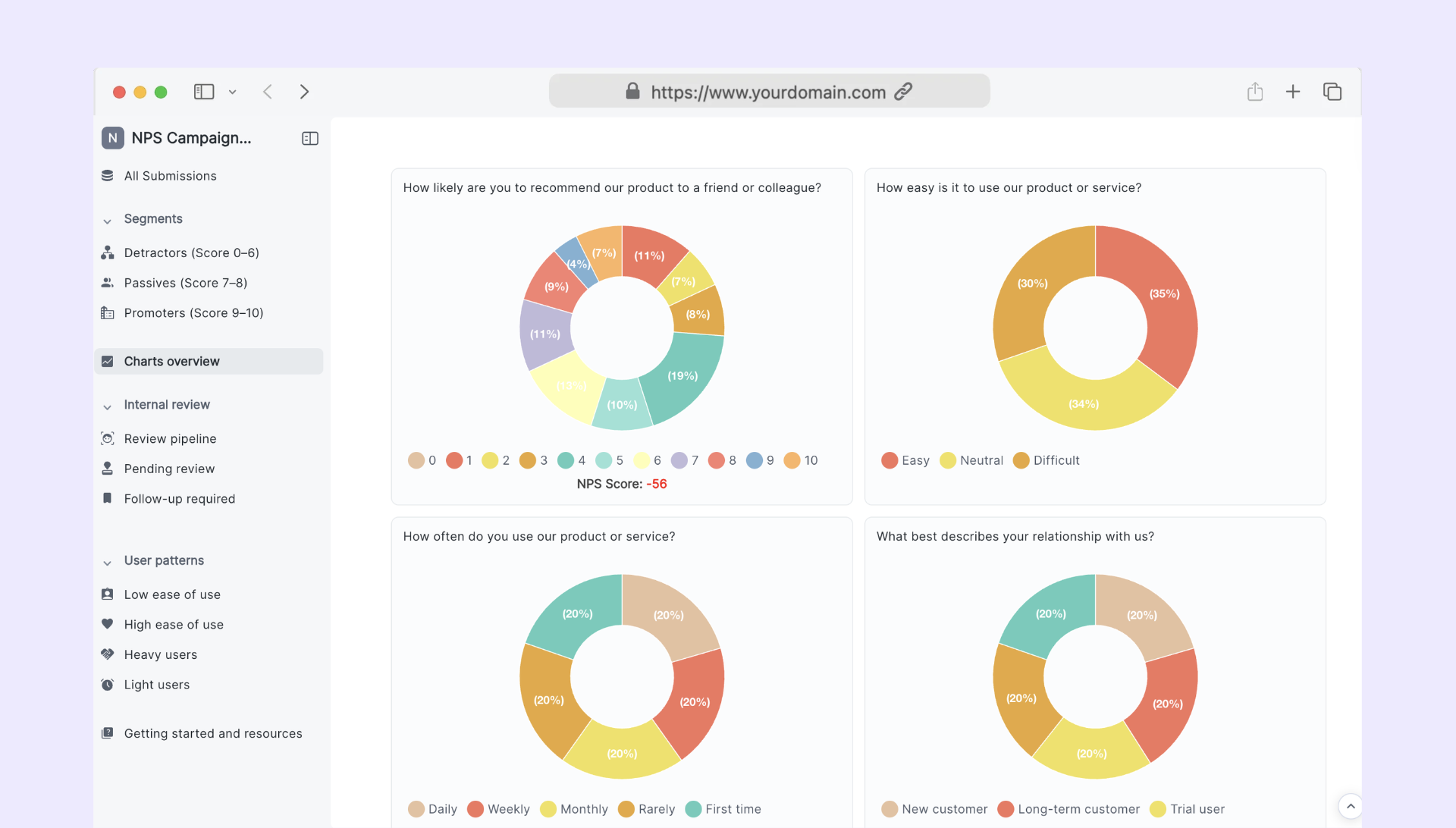
Track and compare your NPS campaigns with a clear, automated reporting dashboard
Gain a complete view of your customer sentiment across multiple campaigns with this NPS Campaign Reporting Dashboard. This template helps marketing, product, and CX teams log standardized NPS metrics, track trends, and keep all insights organized in one place. It’s designed for fast reporting, easy collaboration, and clean analytics without needing any code.
Who can use this form?
• Marketing teams analyzing NPS results across campaigns
• Product managers reviewing customer sentiment and improvements
• Customer success teams tracking promoter and detractor trends
• Agencies running multi-client NPS surveys and report cycles
What features are included?
Centralized NPS Data Collection
Collect campaign-level metrics including total responses, promoter/passive/detractor counts, and final NPS score.
Admin-Only Review Pipelines
Organize internal workflows with review status, follow-up priorities, data validation, and next-action pipelines.
Raw Data Upload & Insights Logging
Attach exports, summarize themes, and document insights for clear future reference.
Automated Dashboard Visualization
See trends, compare campaigns, and monitor performance in real time.
How to customize it with Formaloo
• Add conditional logic to display fields only when relevant
• Integrate with Google Sheets, Slack, or CRM tools for automated reporting
• Invite your team with role-based permissions to manage submissions
• Build custom dashboards and charts to visualize long-term NPS trends
This template gives your team everything needed to manage NPS reporting efficiently and consistently. Customize it in a few clicks, connect your workflows, and turn scattered results into actionable insights. Get started now and keep every campaign organized with Formaloo.
Choose how to get started
Self-serve
Build on your own
Free forever. No credit card required.
✓ AI-powered form builder
✓ Automated workflows
✓ E-signatures & Documents
✓ Client & team portals
✓ Dashboards & analytics
✓ Start fast with templates
Concierge service
Get extra support
In a focused discovery session, we’ll map the current process, identify where AI and Formaloo OI can create measurable value, and outline a practical path to production.
✓ Agent-first platform with a forward-deployed team
✓ EU-hosted by default
✓ Data residency, private-cloud, and self-hosted deployment options
✓ Designed to support GDPR, HIPAA, and PCI DSS requirements